Heartopia Hobby Guide: All Current Hobbies Explained (Fishing, Gardening & More)
A complete beginner-friendly guide to the hobbies in Heartopia, including fishing, gardening, cooking, bug catching, and birdwatching. Learn how to unlock each hobby, how they work, and helpful tips to progress and relax in this cozy life-sim game.

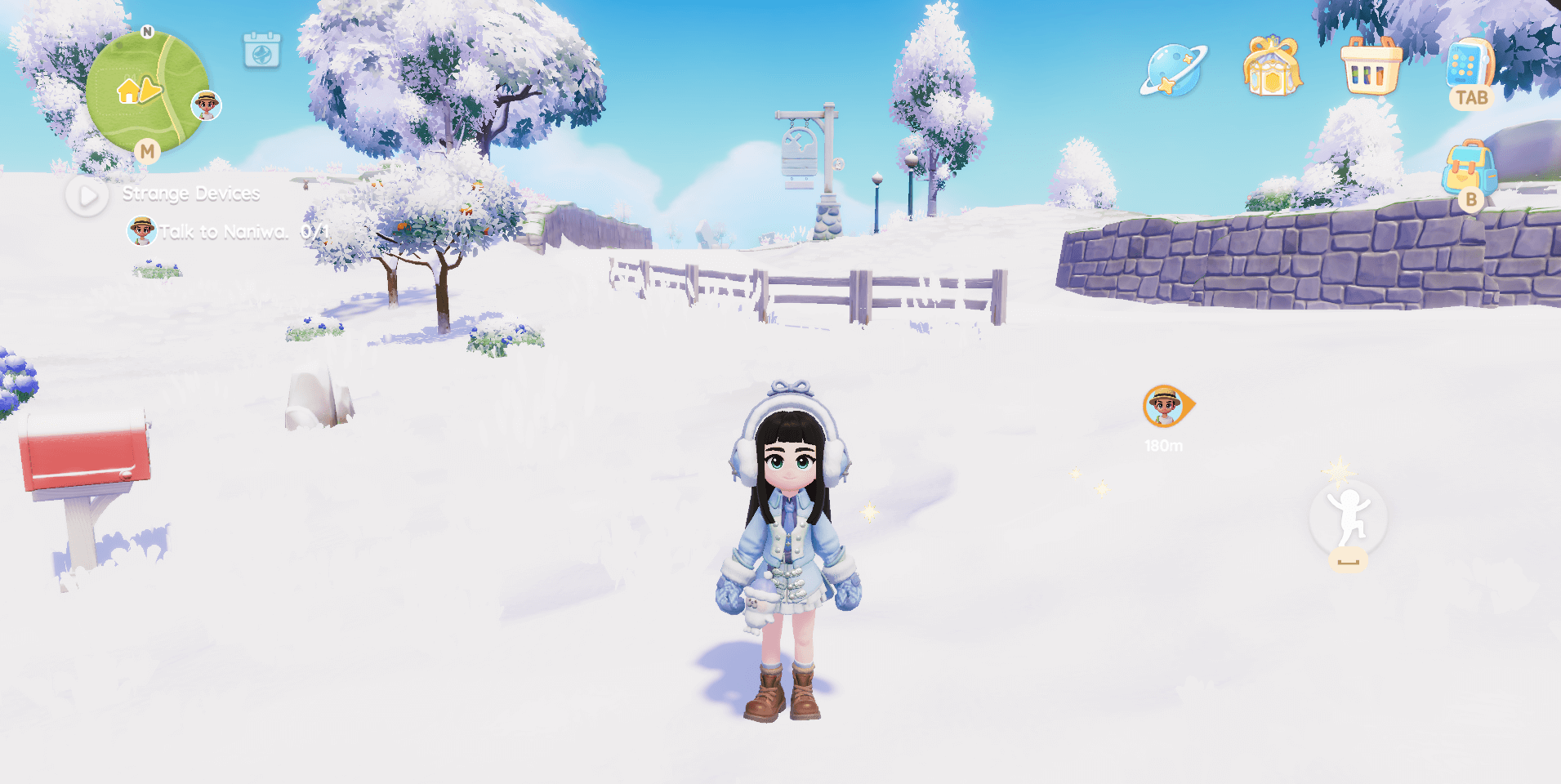
Heartopia is a relaxed life-simulation game with a light multiplayer twist. It features all the classic life-sim activities you’d expect, including fishing, gardening, cooking, bug catching, and building and decorating your home, alongside a few more unique systems like birdwatching and animal care.
If you’re looking for a calm, cozy game to unwind with after school or work, Heartopia fits that role perfectly. It’s a low-stakes, low-stress experience that gives you plenty of freedom to play at your own pace and focus on what you enjoy most.
One of the core pillars of Heartopia is its hobby system. In this guide, I'll break down the five main hobbies currently available. I’ll cover how to get started with each hobby, what gameplay each one involves, and share helpful tips and tricks along the way.
How to Get Started with Hobbies
As you progress through the main story, you’ll naturally begin unlocking Hobby Expansion Tickets. The main questline currently revolves around ranking up your D.G. Members’ Guild level, and reaching certain levels will reward you with the Hobby Expansion tickets. These tickets allow you to unlock and learn the various hobbies currently available in the game.
At the time of writing, I’m currently D.G. Members’ Guild Level 11 and have unlocked all of the core hobbies. The only ones I’m still missing are Cat Caring and Dog Caring. Based on the D.G. Members’ Guild progression, it appears that you’ll gain access to learning Cat Caring or Dog Caring once you reach Guild Level 12.
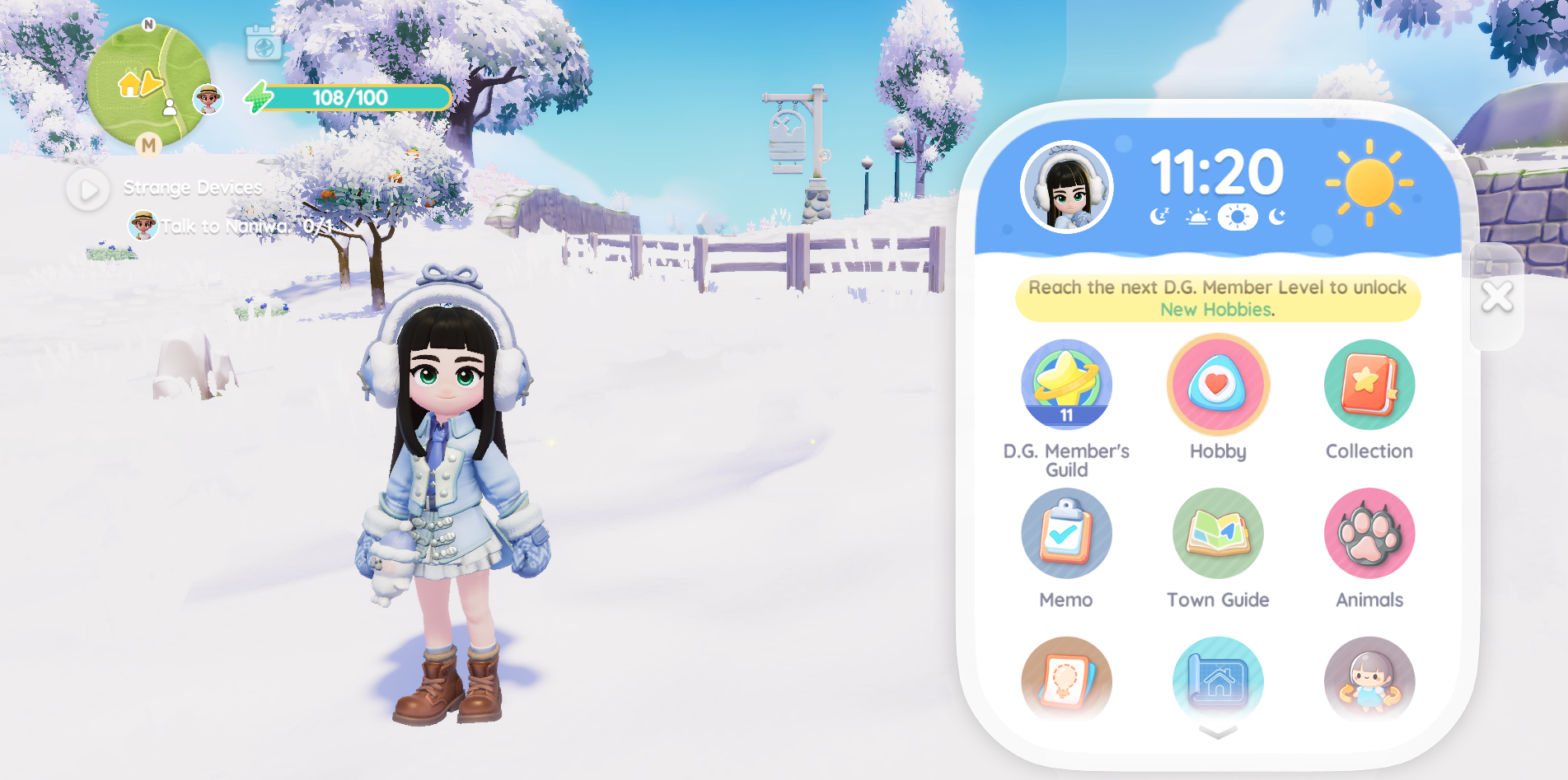
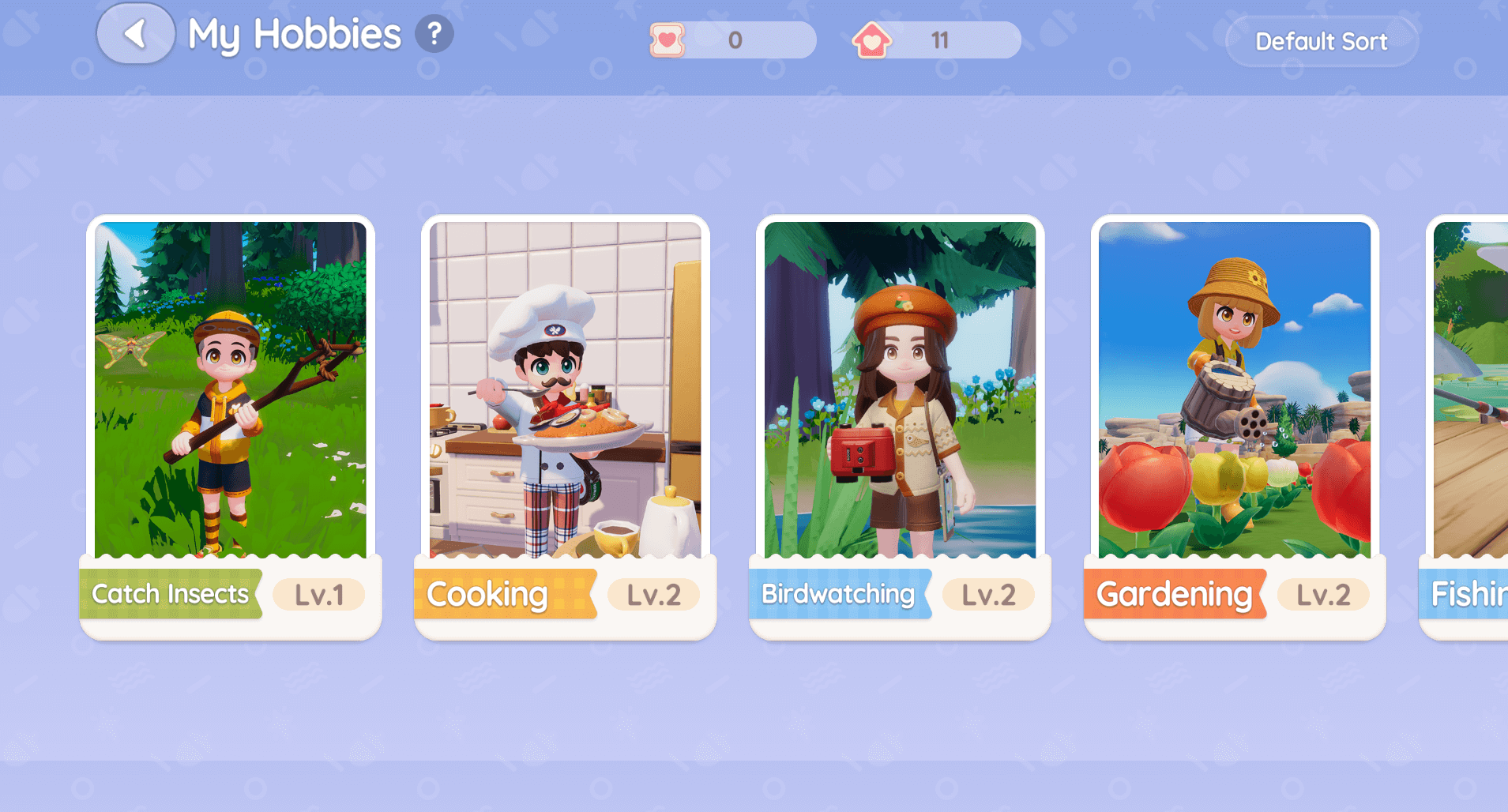
You can access the Hobby Menu from the main menu screen by pressing the TAB key or clicking the phone icon in the top-right corner of your screen. This menu serves as a central hub, giving you access to nearly everything the game has to offer.
The Hobby App is located at the very top of the menu as shown below.
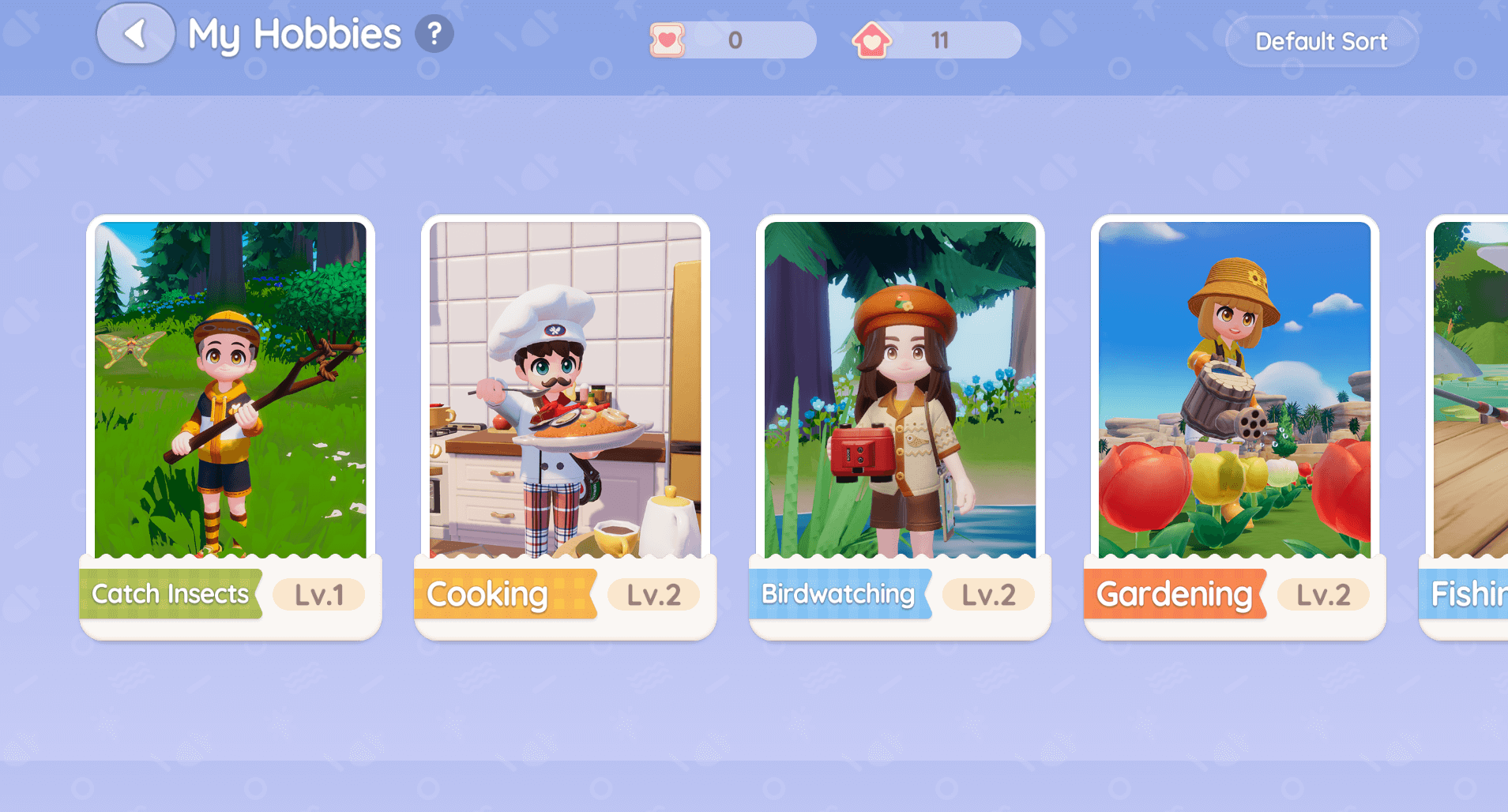
Clicking on it will display all of the hobbies currently available, along with your current level in each one.
Fishing
What Is Fishing Like?
Fishing was the first hobby I unlocked. The game guides you through it as you progress through the main story questline. As far as life-sim fishing mechanics go, this is easily one of the simplest systems I’ve come across, and that’s a good thing. The process is relaxed and straightforward, making it easy to enjoy without any pressure or frustration.
How Does Fishing Work?
Once you receive your fishing rod, you’ll be tasked with catching your first fish. Simply head to any body of water on the map, where you’ll notice fish shadows swimming beneath the surface. These shadows indicate where fish are available to catch, making it easy to know where to cast your line.
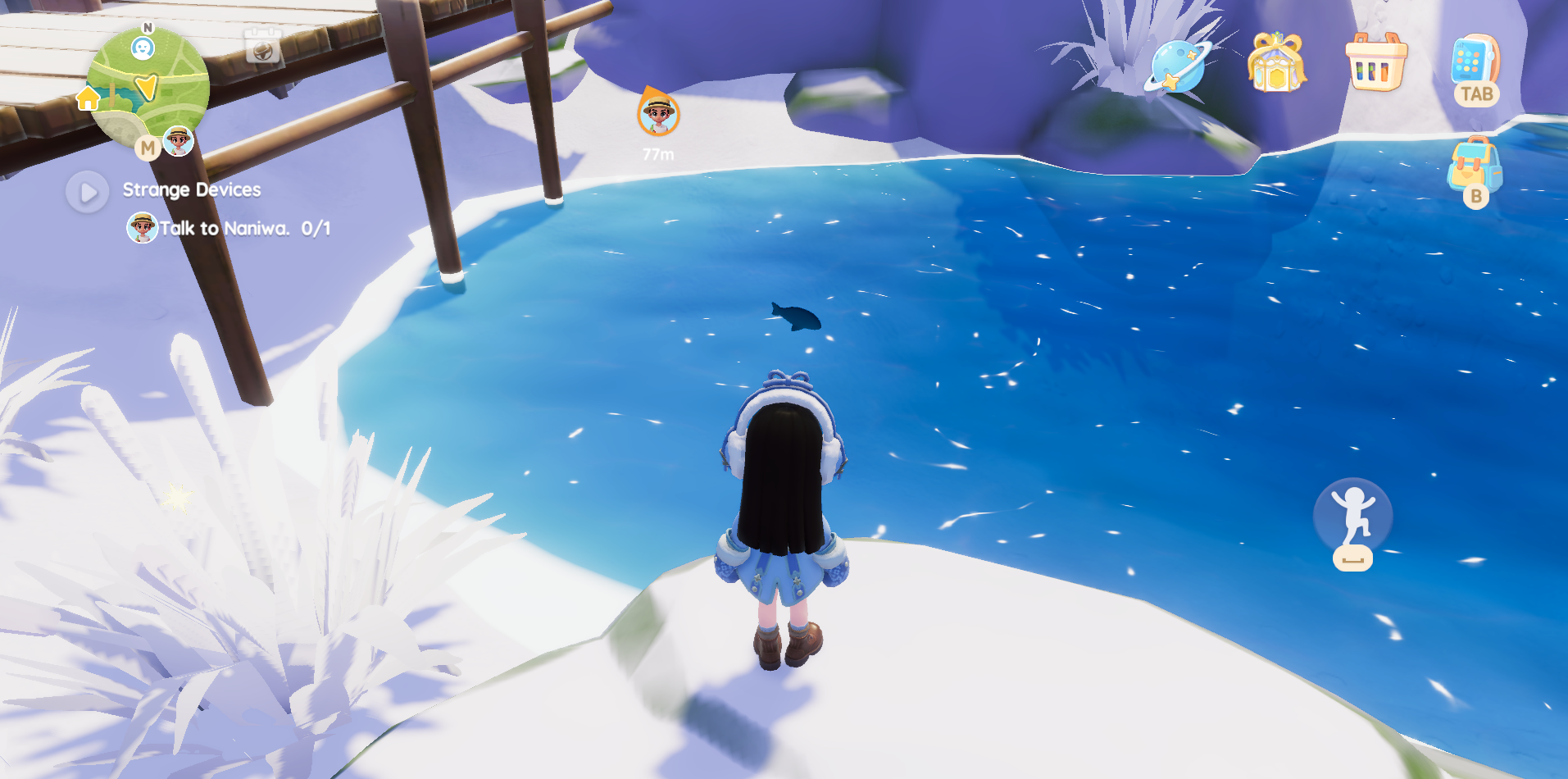
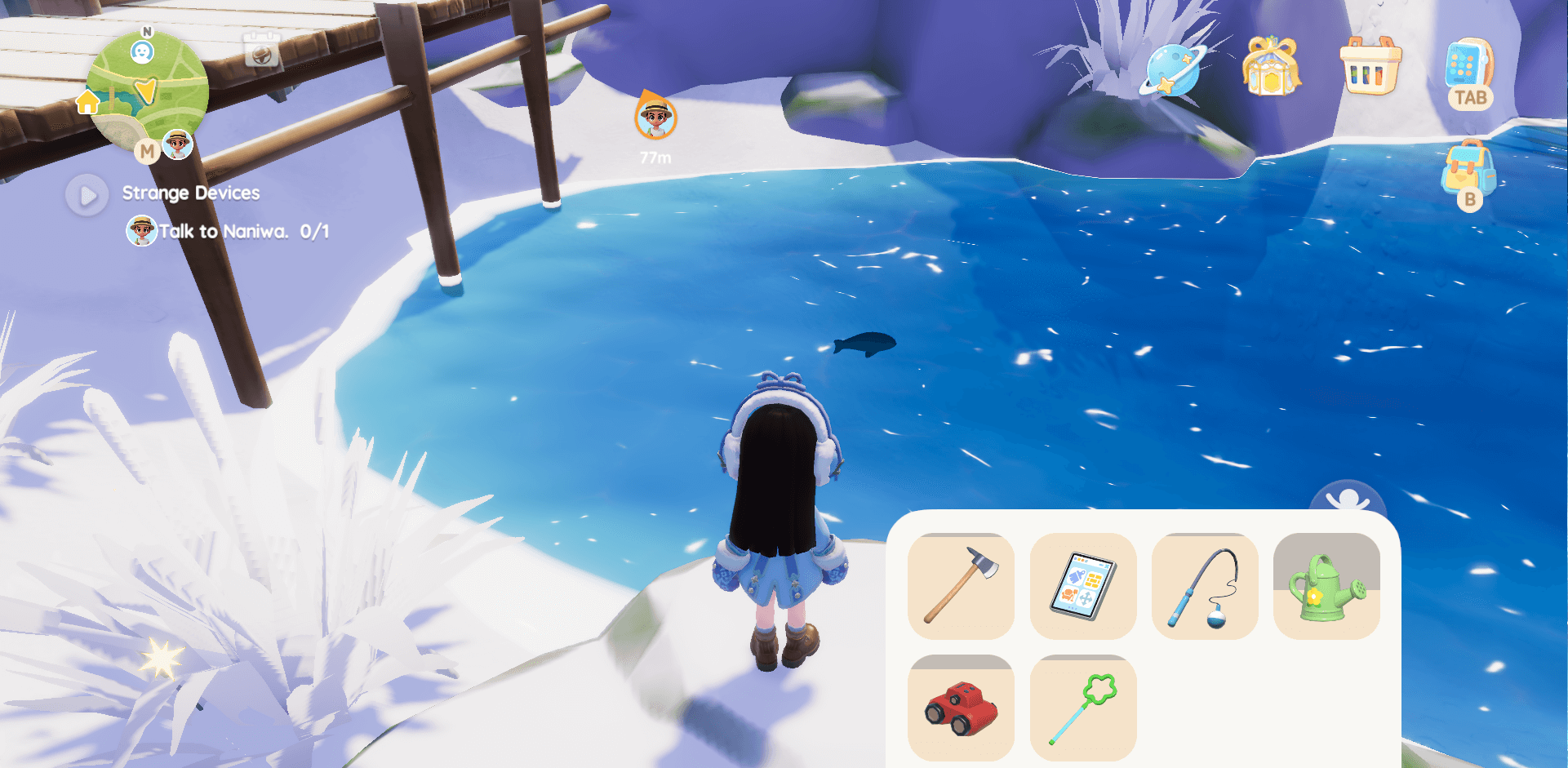
Once you’ve spotted your first fish, press the T key on your keyboard to open the toolbox. If you’re playing on mobile, look in the bottom-right corner of your screen for the toolbox icon and tap it.
This menu displays all of your available tools. If you’re just starting out, the fishing rod will be the only tool unlocked, while the others will appear grayed out. Select the fishing rod to equip it and get ready to cast your line.
From here, you’ll want to cast your line into the water. On keyboard, tap the F key to cast. If you’re playing on mobile, tap the large circular button in the bottom-right corner of the screen with the fishing rod icon.
If you want more control over where your line lands, hold the F key (or the on-screen button) instead of tapping it. This lets you adjust your casting position more precisely. Try to line up your cast as close to the front of the fish as possible, then release the F key (or on-screen button) to cast.
Once your line is cast, wait for a fish to bite. You’ll hear a vibration sound, and the fish will visibly attach itself to your line. Press the F key (or on-screen button) to begin reeling the fish toward you.
Some fish are tougher than others. When this happens, your line will begin to glow yellow, then red, indicating increased tension. When the line turns red, briefly release the F key (or on-screen button) to reduce the strain, then start reeling again. Continue this process until the fish is successfully caught.
As you progress, you’ll unlock fish bait and gain the ability to craft it. Using bait allows you to fish in locations that may not currently have visible fish, giving you more flexibility when choosing where to cast.
Gardening
What Is Gardening Like?
Gardening is a relaxing hobby that allows you to grow produce, which you can then use for cooking or selling to earn money. This is one aspect of the game I’ve been really enjoying.
I also love the visual side of gardening, it’s satisfying to watch your crops grow and your space come to life. The hobby is easy to learn and rewarding to level up, especially as you unlock and collect a wider variety of seeds over time.
How Does Gardening Work?
I unlocked this hobby fairly early on by progressing through the main story quests. Once the gardening hobby is unlocked, you gain the ability to purchase plant boxes from Blanc.
After buying them, you can place these plots anywhere on your property. To start planting, you’ll also need to purchase seeds from Blanc, which will allow you to begin growing your first crops.
Click the Bag icon in the top-right corner of your screen, or press the B key on your keyboard. The bag icon is located just beneath the phone icon.
Once your bag is open, select the seeds you’ve purchased. Walk over to the plant boxes you placed earlier, then hover over the box where you want to plant the seeds and press the F key (or on-screen button) to plant them.
Once you’ve planted your seeds, open your toolbox by pressing the T key or tapping the toolbox icon in the bottom-right corner of your screen. You should now have access to a watering can, select it to equip it.
Walk up to the crop you want to water. When a small circle appears, press the F key (or on-screen button) to water the crop.
Once all of your crops have been watered, you’ll need to wait for the growth timer displayed above each plant to finish. When the timer completes, the crops will be ready to gather.
To pick up your crops, walk up to the plant you want to collect and press the F key (or on-screen button). The crop will then be added to your inventory.
Cooking
What Is Cooking Like?
Cooking is honestly one of my favorite hobbies to take part in! I really enjoy gathering all of the materials needed to create a dish, as well as swapping out certain produce to make something completely different. Learning new recipes is fun, and once the food is made, you can either sell it to earn some money or showcase it in your house.
Overall, cooking is another very relaxing hobby to participate in, and it ties in nicely with gardening and gathering, which makes it even more enjoyable.
How Does Cooking Work?
When you receive another Hobby Expansion Ticket, you can unlock cooking by talking to Massimo in town. He will be standing next to a stove. Give him the ticket, and he will give you a quest to complete. Once you complete this quest, you will have this hobby unlocked and you can begin to gather recipes and make unique dishes!
To start cooking, walk up to a stove. I used the one in my house, but you can also use the stove located directly next to Massimo. Tap the icon above the stove to open the cooking menu.
On the left side of the menu, you’ll see all of your currently available recipes. As you scroll through them, the right side will display the ingredients needed for each recipe. Many dishes require gatherable items found out in the world, such as blueberries, raspberries, mandarins, apples, and more, or produce that you grow in your garden.
Some ingredients can also be purchased directly from Massimo for money, including items like cheese, milk, and eggs.
Once you’ve selected the recipe you’d like to make and have all the required ingredients, press the “Start Cooking” button at the bottom of the screen. This will begin the cooking process. A small timer icon will appear above the dish, which you’ll need to keep an eye on while it cooks.
During cooking, a spatula icon may appear with a message that says, “Stove heat is unstable. Adjust the heat level.” When this happens, quickly press the spatula icon above the stove to stabilize the heat. Once stabilized, the timer icon will reappear and cooking will continue.
This mini-game can occur multiple times while preparing a dish, depending on the recipe you’re cooking.
Once the timer finishes, your food will be ready. An icon with oven mitts will appear above the dish, tap this icon to place the finished dish into your inventory.
Catching Insects
What Is Catching Insects Like?
I’m going to be honest, this is probably my least favorite hobby of the bunch, and in my opinion, it’s one of the more difficult mechanics to learn. It’s not impossible, but it’s just not as relaxing as the other hobbies, at least for me.
That being said, I still enjoy seeing the different insects and collecting them, and I think this mechanic will become easier over time.
How Does Catching Insects Work?
When you receive another Hobby Expansion Ticket, you can unlock Catching Insects by talking to Naniwa in town. Go to him, spend your ticket, and he’ll give you a quest to catch your first bug.
Head out into the world and look for insects. Once you spot one, press the T key on your keyboard to open the toolbox. If you’re playing on mobile, look in the bottom-right corner of your screen for the toolbox icon and tap it. You’ll see a star wand tool, select it.
Just like fishing, you can hold the F key (or the on-screen button) to bring up a large star that you can drag around to aim more precisely. However, this mechanic hasn’t always worked well for me. I’ve had moments where the star was directly on top of the insect, but the bubble still wouldn’t catch it.
Because of this, I’ve had more success not using the aiming tool. Instead, I get close to the insect, position myself directly in front of it, and simply tap the F key (or the on-screen button). This method has worked more consistently for me, at least for now.
Once you successfully capture the insect, you’ll see the bubble containing the bug float back to you, and a notification will appear on your screen confirming that you’ve caught it.
Birdwatching
What Is Birdwatching Like?
This was one of the hobbies I was most excited for! I love birdwatching in real life, and from what I had heard, birdwatching in this game was extremely relaxing, and I’m happy to say I agree. I find it fun to roam around and try to find birds I haven’t taken photos of yet.
It can be a bit challenging at times, as the birds don’t always stay still long enough for a photo, but overall, I’ve been having a lot of fun with it.
How Does Birdwatching Work?
When you receive another Hobby Expansion Ticket, you can unlock birdwatching by talking to Bailey J in town. Go to her, spend your ticket, and she’ll give you a quest to go birdwatching.
Head out into the world and start looking for birds. Luckily, they’re pretty much everywhere you look. Once you spot one, press the T key on your keyboard to open the toolbox. If you’re playing on mobile, look in the bottom-right corner of your screen for the toolbox icon and tap it. You’ll see a red pair of binoculars, select that tool.
Once selected, press the F key (or tap the on-screen button) to bring up a camera-style view. You can zoom in and out using the controls on the left-hand side of the screen. Get close enough and zoom in far enough, and the name of the bird will eventually appear at the bottom.
Once the bird’s name appears, snap a photo using the large round button on the right side of the screen. As long as the bird stays within the photo frame, it will count as collected, and a notification will pop up confirming that you’ve collected that bird.
Those are the currently available hobbies you can take part in in Heartopia! There are also Dog Caring and Cat Caring, which I’ll add here once I gain access to them.
Since the game is a live-service title that regularly introduces new events, we may even see additional unique hobbies added in the future, which is very exciting!
If you enjoyed this guide, make sure to subscribe and follow along for more Heartopia content!